> For the complete documentation index, see [llms.txt](https://cachebox.ortusbooks.com/llms.txt). Markdown versions of documentation pages are available by appending `.md` to page URLs; this page is available as [Markdown](https://cachebox.ortusbooks.com/getting-started/overview.md).
# Overview
What is CacheBox?
## Features at a Glance
* **Cache Aggregator**
* Ability to aggregate different caching engines
* Ability to aggregate different configurations of the same caches
* Rich aggregation event model
* Granular logging
* **Fast and Simple to use**
* Fast ColdFusion and Java hybrid cache
* Simple API and configuration parameters
* Small Footprint
* There is no need to create it, configure it, or manage it if used within a ColdBox Application.
* **Solid Core**
* Multi-Threaded
* Based on [Java Concurrency Classes](http://docs.oracle.com/javase/tutorial/essential/concurrency/)
* Multiple [Eviction Policies](http://en.wikipedia.org/wiki/Cache_algorithms): LRU, LFU, FIFO and LIFO
* Memory Management & Memory Sensitive Caching based on [Java Soft References](http://docs.oracle.com/javase/7/docs/api/java/lang/ref/SoftReference.html)
* High Load Tested
* Fully Documented
* **Extensible & Flexible**
* Cache Listeners for event broadcasting
* Create custom eviction policies
* Create cache providers
* Create your own CacheBox object storage
* Extensive and granular purging mechanisms (regular expressions and key snippets)
* **Highly Configurable**
* JVM Threshold Checks
* Object Limits
* Ability to time expire objects
* Eternal (singletons) and time-lived objects
* Object purging based on object usage (Access Timeouts)
* Fully configurable at runtime via dynamic configurations and hot-updates
* **Visually Appealing and Useful**
* Fully featured caching monitor and commands panel
* Complete cache performance reports
## Cache Aggregator
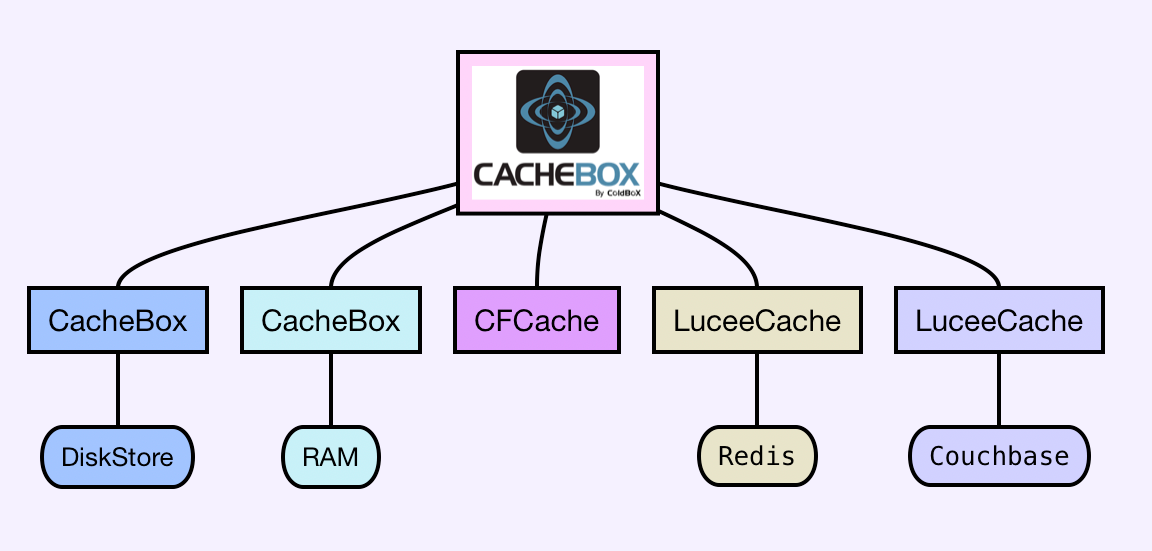
CacheBox is a cache aggregator in which you can aggregate different caching engines or types of the same engine into one umbrella. It gives you built-in logging (via [LogBox](http://logbox.ortusbooks.com)), an event model, synchronization, shutdown/startup procedures, reporting, interaction consoles, and a cache-agnostic API.
CacheBox Aggregation of Caches
CacheBox allows you to manage and create custom, what we call [Cache Providers](/usage/cache-providers.md), that talk to different caching engines that you would like to configure in your applications. By aggregating them within CacheBox, you benefit from a rich event model for all caches to share, report, and debug.
## Caching API
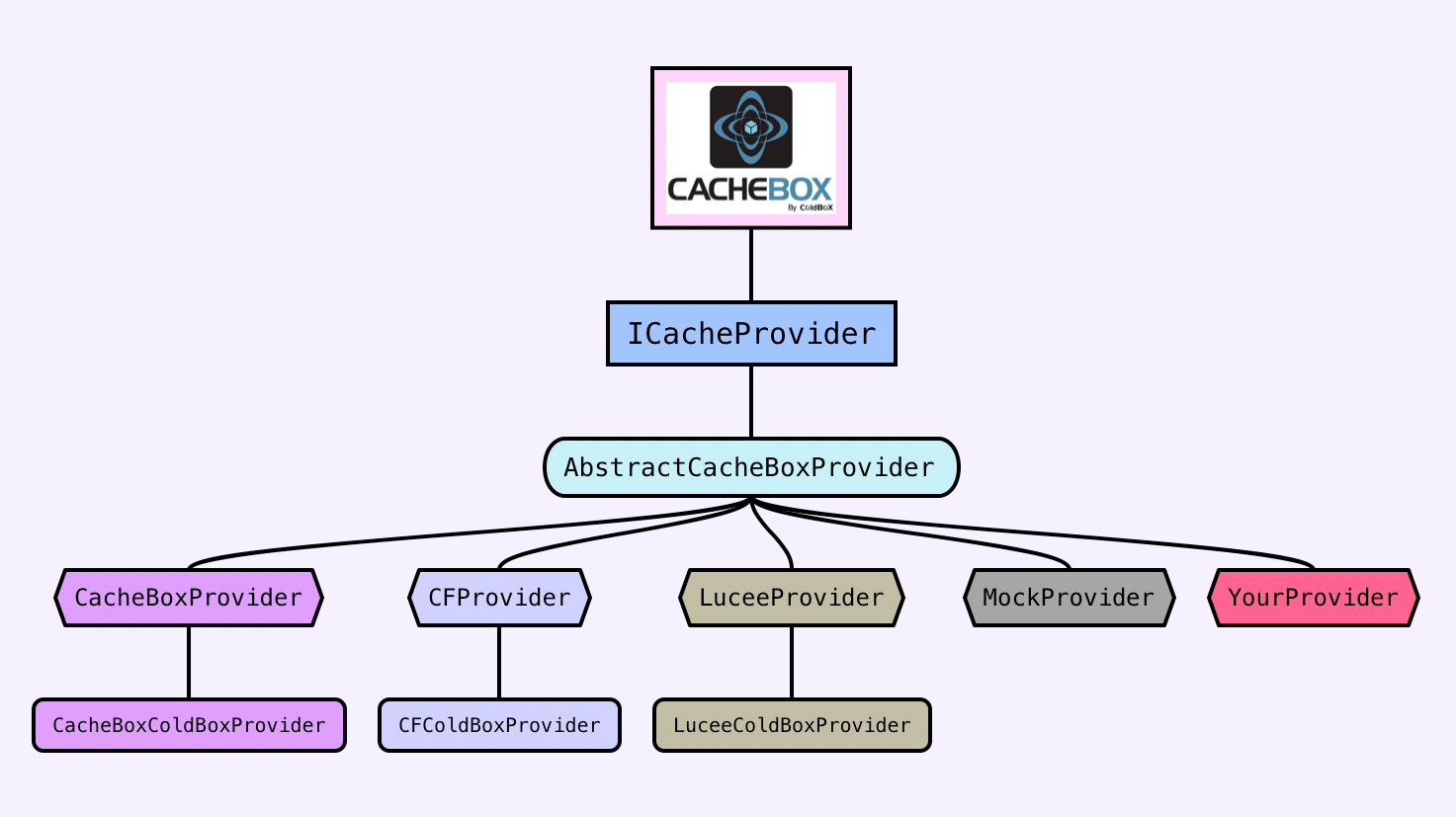
These cache providers also share the same interaction API and thus give you an excellent level of abstraction, higher extensibility, and flexibility when planning your applications or trying to scale them out.
CacheBox API Providers
You can build your applications based on this abstract API and then be able to configure the caches for your applications at runtime. This gives you greater flexibility and scalability when planning and writing your applications, as they can be targeted for ANY CFML engine or version.
## Enterprise Caching Engine
Caching has been a central concern in the ColdBox Platform since its first version. We have always been concerned with mission-critical applications, scalability, and the ability to provide granular caching aspects to ColdFusion (CFML) applications within a single in-process caching engine with different storage capabilities that could be in-process or distributed.
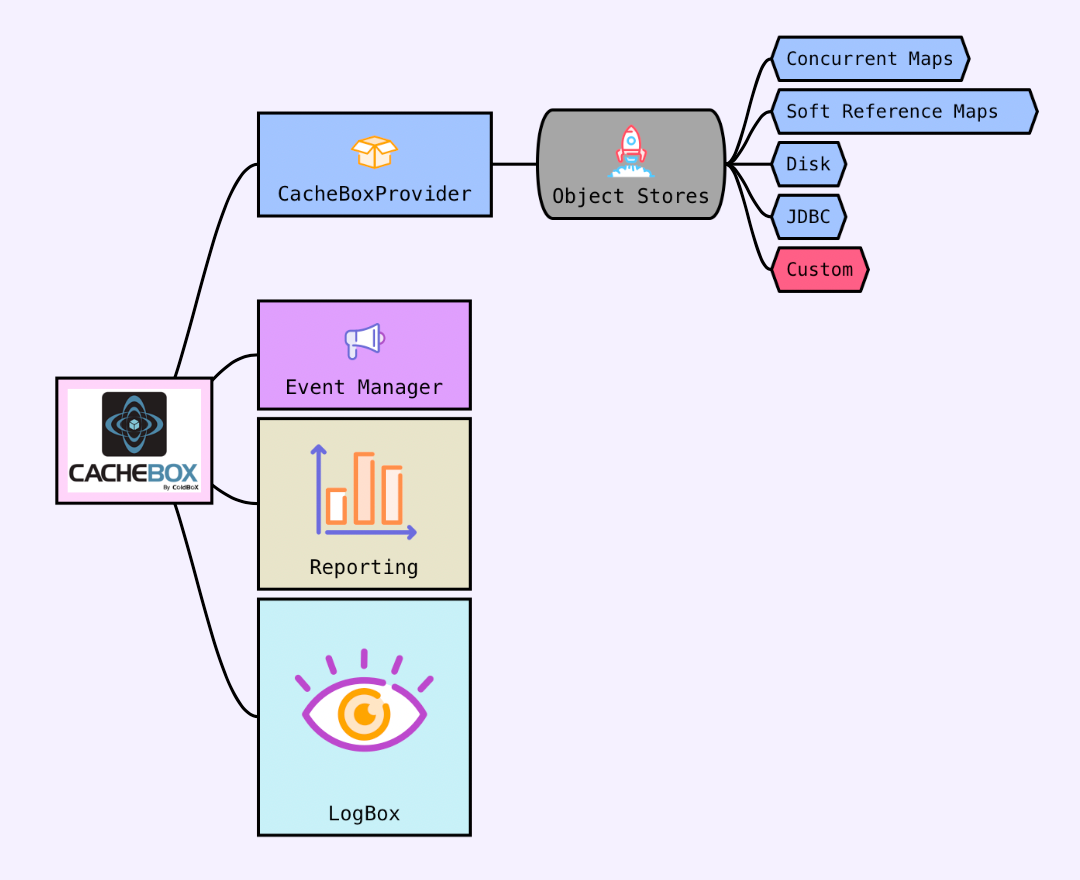
CacheBox Engine Architecture
Foremost, CacheBox behaves as an in-memory cache designed for objects, data, HTML fragments, or anything else you like. It has various tuning parameters such as default object timeout, default last access timeout, maximum objects in the cache, a JVM memory threshold, a reaping frequency, eviction policies, an event model, and so much more.
We also use object stores for the CacheBox caching engine. This means that CacheBox can be configured to store its cached objects in different locations other than memory. This gives us great flexibility because we offer a wide gamut of storage options, plus the concept of actually building your storage.
### Cache Debugger & Reporter

We have an excellent cache debugger where you can visualize all your configured caches from within your application. You can see the performance of the cache the contents, and even issue commands to the targeted cache provider.
### Useful Resources
* [CacheBox Release Notes](https://ortussolutions.atlassian.net/browse/CACHEBOX)
*
*
*
*
*
*
*
*
---
# Agent Instructions
This documentation is published with GitBook. GitBook is the documentation platform designed so that both humans and AI agents can read, navigate, and reason over technical content effectively. Learn more at gitbook.com.
## Querying This Documentation
If you need additional information that is not directly available in this page, you can query the documentation by asking a question.
Perform an HTTP GET request on the following URL with the `ask` and `goal` query parameters:
```
GET https://cachebox.ortusbooks.com/getting-started/overview.md?ask=&goal=
```
`ask` is the immediate question: it should be specific, self-contained, and written in natural language.
`goal` is what the user is ultimately trying to achieve, the reason they need the answer. Sharing it helps GitBook give you a better, more relevant answer. A goal is most helpful when it describes the outcome the user wants rather than restating the question. For example, with `ask=how do I create an API token`, a goal like `automate deployments from our CI pipeline` lets GitBook tailor the answer to that use case.
The response will contain a direct answer to the question and relevant excerpts and sources from the documentation.
Use this mechanism when the answer is not explicitly present in the current page, you need clarification or additional context, or you want to retrieve related documentation sections.